
Article
English contentRewrite workflow for hiring teams: cut drafting from 50 minutes to 20
Hiring / HR operator / Published: 03/10/2026 · Updated: 03/10/2026
Available languagesView Japanese version
BLUF
| Metric | Before | After |
|---|---|---|
| Drafting time | 50 min | 20 min |
| Weekly drafts | 2 | 11 |
| Stalls while waiting for internal review | 4 times a week | 1 time a week |
Hiring teams usually get the best results when they lock one rule before rewriting: facts do not change, only expression does.
What the rewrite feature does
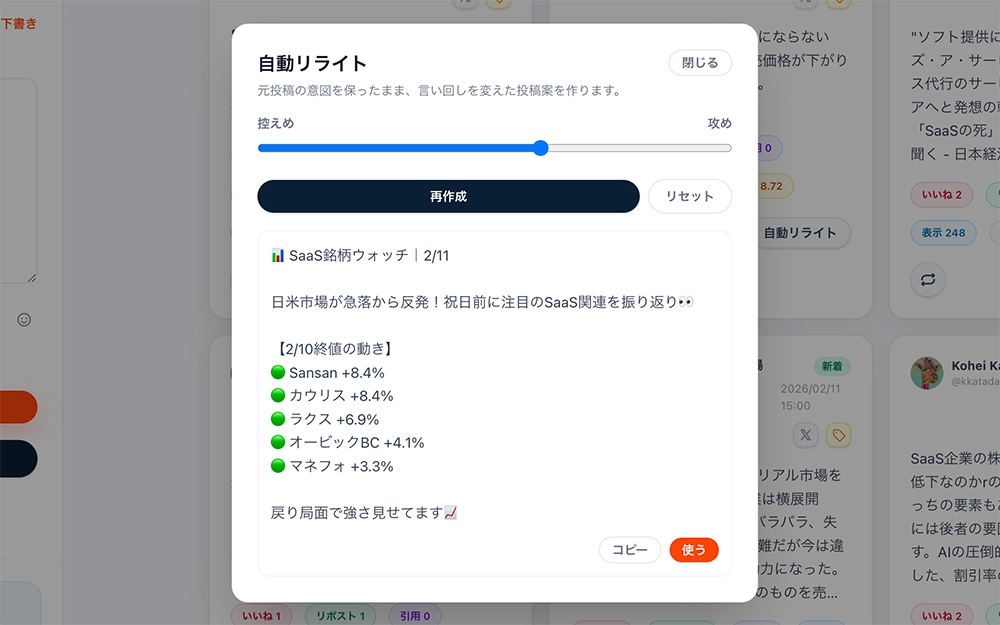
The rewrite feature reshapes a draft while keeping the meaning intact. The cover image represents the screen where the operator adjusts rewrite strength and direction while preparing the post.
Why hiring teams need it
Hiring communication often slows down for predictable reasons:
- Copy becomes stiff and hard for candidates to connect with
- Tone shifts from post to post, which weakens the brand impression
- Teams keep rewording the same points, which delays publication
The rewrite workflow reduces the weight of that repeated editing work.
What improves after rewriting
- Drafts are easier to finish quickly Fewer revision loops means faster publication.
- Tone becomes more consistent The hiring account can maintain a stable voice across posts.
- Quality is easier to maintain for less experienced operators Readability and clarity are easier to keep above a minimum standard.
Beginner workflow
- Draft the essential facts first For example, role, value proposition, and application path.
- Run the rewrite step TenguX restructures the copy into a clearer version.
- Adjust rewrite strength If you want softer wording without changing facts, keep the rewrite strength light.
- Do the final review and publish Confirm company name, conditions, and links before posting.
Guardrails
- Keep salary, location, and employment details aligned with the source
- Review for prohibited claims or misleading phrasing before publishing
- Do not paste confidential or personal information into the draft
Next action
If you want to try this flow yourself, start by creating draft ideas for one theme.